Phones and Tech: IMEI Registration, SIM Cards, and Duty Tax Explained
You land at Soekarno-Hatta or Ngurah Rai, ready for your new life or a dream vacation, only to find your smartphone has become a very expensive brick. I have stood in that exact spot, frantically rebooting my phone while the "No Service" icon mocked me, wondering why my roaming wasn't working and why no local SIM would "take." This guide solves the complex, often frustrating world of Indonesian IMEI registration, SIM card bureaucracy, and tech taxes so you can stay connected from day one.
The Infamous IMEI Lockdown: Why Your Phone Is Not Working
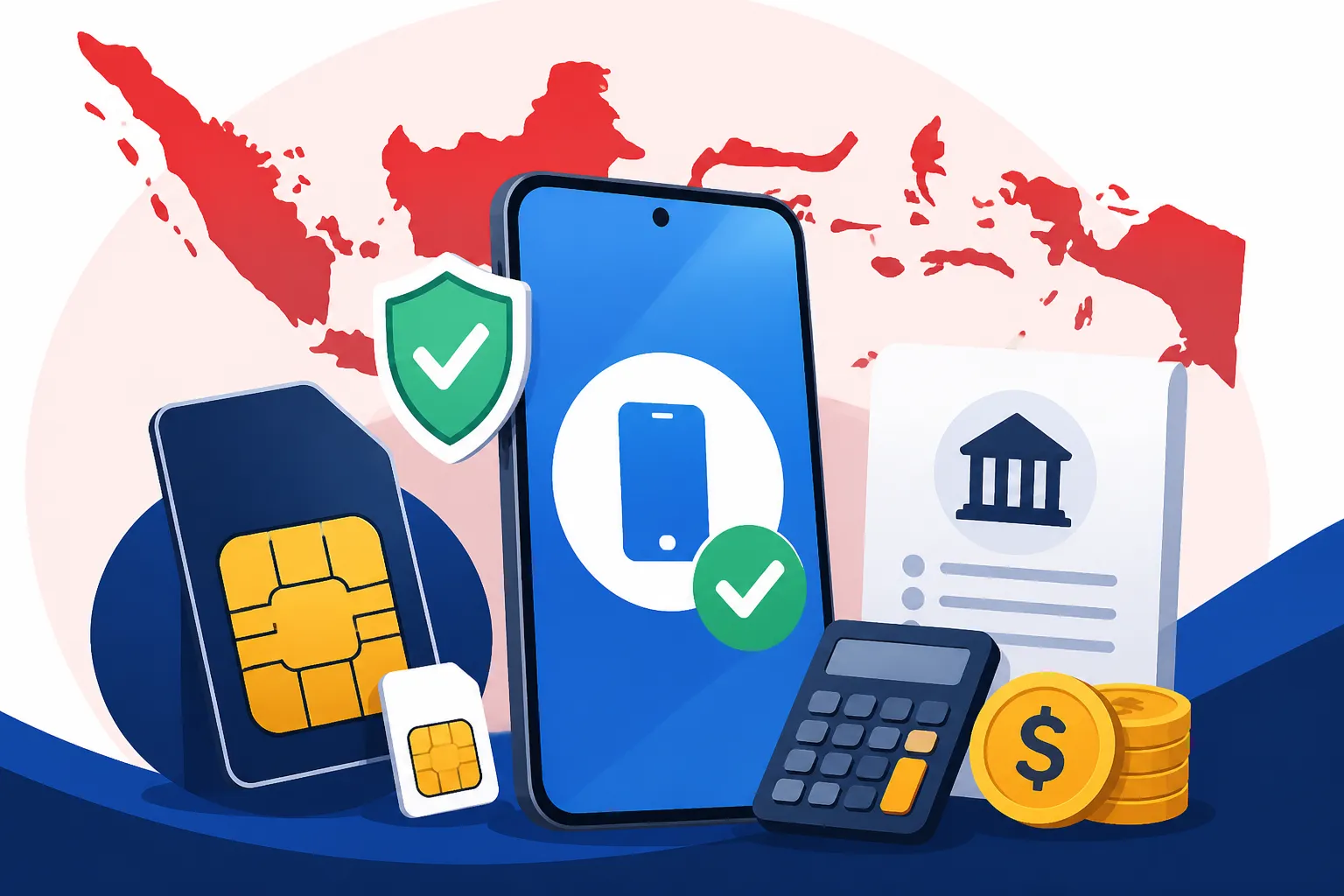
The most common shock for any newcomer to Indonesia is the realization that a mobile device purchased outside the country will not automatically work with a local SIM card. This is due to a regulation introduced in 2020 aimed at curbing the "black market" phone trade. Every mobile device has a unique 15-digit International Mobile Equipment Identity (IMEI) number, and Indonesia maintains a national database of "whitelisted" IMEIs. If your device isn't on that list, the local cellular towers will simply refuse to provide a signal. It doesn't matter if your phone is unlocked or if you have the most expensive roaming plan in the world; if you want to use a local provider like Telkomsel or XL, you must play by the IMEI rules.
Understanding the 90 Day Rule for Tourists
For those visiting on a short-term basis, there is a bit of a silver lining. If you are in Indonesia for less than 90 days, you don't necessarily need to pay a permanent import tax on your device. You can visit a major provider’s outlet—like a Telkomsel GraPARI—and request a temporary IMEI activation. This allows your foreign phone to work with an Indonesian SIM for three months. However, be warned: once those 90 days are up, the signal will vanish. I’ve seen many digital nomads get caught out by this, thinking they could just "swap SIMs" to reset the clock. It doesn't work that way. The block is tied to the hardware of the phone itself, not the SIM card.
If you are planning to stay longer, perhaps moving on a KITAS, you should look into the Mandatory IMEI Registration: The 90-Day Rule and Airport Customs Process to understand how to handle this transition without losing connectivity. Many people make the mistake of ignoring this during their first week, only to find themselves unable to receive OTP (One-Time Password) codes for banking or ride-hailing apps later on. Trust me, trying to fix a blocked IMEI while you're in the middle of a remote village in North Sumatra is a logistical nightmare you want to avoid.
The Permanent Registration Requirement for Expats
For anyone living here long-term, permanent IMEI registration is the only viable path. This involves declaring your phone to Indonesian Customs (Bea Cukai) and paying the necessary import duties. Once registered permanently, your phone is "Indonesian" in the eyes of the network and will never be blocked again, regardless of how many times you leave and re-enter the country. I highly recommend doing this the moment you land at the airport. There is a specific Bea Cukai desk located just before you exit the baggage claim area. If you register there, you are eligible for a $500 USD exemption on the value of the device—a massive saving that you lose if you wait until you've already left the airport.
If you miss that window, you can still register within 60 days at a local customs office, but you will be taxed on the full value of the phone without that $500 discount. It's a painful lesson to learn. You'll need to bring your passport, your boarding pass, and the device itself. To keep track of your status throughout this process, you can periodically How to Check Your IMEI Registration Status via the Kemenperin Website to ensure the bureaucracy hasn't hit a snag. It usually takes 24 to 48 hours for the signal to kick in after the tax is paid.
How the Kemenperin Database Actually Works
The database is managed by the Ministry of Industry (Kemenperin) and the Ministry of Communication and Information (Kominfo). It’s a massive digital ledger that syncs with all local telecommunications providers. When you insert a SIM card, the network pings the IMEI of your device against this list. If there’s no match, the "Handshake" fails. One quirk I've noticed over the years is that dual-SIM phones actually have two different IMEI numbers. If you want both slots to work with Indonesian SIMs, you must register both. Many expats only register one, then find their second slot useless for a local data backup.
There are also "unofficial" ways people try to bypass this, such as buying "IMEI unblocking" services on social media. I cannot stress this enough: stay away from these. They are often temporary hacks that involve cloning an old, registered IMEI onto your new device, which is illegal and frequently results in the phone being permanently blacklisted by the government. Stick to the official channels. It might be a headache to stand in line at the customs office, but it's the only way to ensure your phone remains a reliable tool for your life in the tropics.
Navigating the Customs Office: A Step-by-Step Registration Guide
The physical process of registering your phone can feel like an initiation ritual. You’ll likely be tired from a long-haul flight, but this is the most critical hour of your relocation. When you approach the Bea Cukai desk, you aren't just a traveler; you're an importer of personal electronics. The officers are generally efficient, but they work strictly by the book. Having your digital forms filled out before you even land is the "pro-tip" that separates the veterans from the newcomers. You can find the registration form on the official Bea Cukai website or via their mobile app.
Registering at the Airport vs Post Arrival
As I mentioned, the airport is the "Gold Zone." If your phone is worth $800 and you register at the airport, you are only taxed on the $300 difference. If you wait and go to a local customs office later, you are taxed on the full $800. For a high-end iPhone or Samsung, this can mean a difference of $150 to $200 in taxes. To make it even easier, you should have a screenshot of your QR code from the online registration form. When I first moved here, I didn't have my QR code ready and had to struggle with the airport's spotty Wi-Fi while a line of thirty people groaned behind me. Don't be that person.
If you are already settled in and realized you missed the airport desk, you need to look into Registering IMEI at the Customs Office After Leaving the Airport (60 Day Limit). You’ll need to make an appointment at the nearest Bea Cukai office, which are usually located near ports or regional capitals. In Jakarta, the office is in Rawamangun; in Bali, it’s near the airport in Tuban. Bring a printout of your proof of purchase (an Amazon receipt or an email from Apple works fine) to prove the value of the phone. Without proof, the officers will use their own database to "estimate" the value, and they almost always estimate on the higher side.
Calculating Your Duty Tax and the $500 Exemption
The math behind the duty tax is a bit complex because it involves three different types of taxes: Import Duty (Bea Masuk), Value Added Tax (PPN), and Income Tax (PPh). For most people, the total tax comes out to roughly 20% to 30% of the value of the device above the $500 exemption. However, there is a major "hack" here: if you have an Indonesian Tax ID (NPWP), your PPh rate is halved. This is one of the many reasons why Calculating IMEI Customs Tax: The $500 Exemption and NPWP Discount is such a vital topic for expats to master.
| Tax Component | Rate with NPWP | Rate without NPWP |
|---|---|---|
| Import Duty (Bea Masuk) | 10% | 10% |
| Value Added Tax (PPN) | 11% | 11% |
| Income Tax (PPh) | 10% | 20% |
| Total Estimated Tax | ~21% | ~31% |
Note: These rates apply to the value of the device exceeding the $500 exemption if registered at the airport.
Documents You Absolutely Must Have Ready
To ensure a smooth experience, keep a folder (physical or digital) with your passport, your boarding pass or e-ticket, and your device's invoice. If you bought the phone second-hand, a screenshot of the listing or a PayPal receipt is usually sufficient. The officers will also need to see the IMEI number on your screen (dial *#06# to bring it up). I’ve seen people get rejected because they couldn't turn their phone on due to a dead battery. Always keep a power bank handy during your arrival.
One more thing: the tax must be paid in Indonesian Rupiah (IDR). While some major airports now accept credit cards at the customs desk, many local offices still require you to take a "billing code" to a local bank (like Mandiri or BNI) or even a post office to pay. Only after the payment is confirmed in their system will your IMEI be released. It’s a multi-step process that requires patience and a bit of "jam karet" (rubber time) attitude.
SIM Cards and Connectivity: Choosing Your Provider
Once your IMEI is sorted, the next hurdle is actually getting a SIM card. In Indonesia, you cannot just buy a SIM from a street vendor and have it work immediately. Since 2018, all SIM cards must be registered to a valid ID. For locals, this is their NIK (National ID) and KK (Family Card). For us expats, it’s our passport. This means you must visit an official provider store; a random kiosk in a mall might sell you the plastic card, but they often lack the authority to register a foreign passport in the system.
Telkomsel vs XL vs Indosat: The Signal War
Indonesia has several major players, but the landscape is dominated by Telkomsel. Owned by the state, Telkomsel has the most extensive coverage, especially if you plan on traveling outside of Java or Bali. If you’re heading to the Raja Ampat islands or deep into the jungles of Kalimantan, Telkomsel is often your only option. However, they are also the most expensive and their data packages can be confusingly segmented into "Local Data" (only usable in the city you bought it) and "National Data."
XL Axiata and Indosat Ooredoo Hutchison are the primary competitors. They are generally cheaper and offer great speeds in urban areas like Jakarta, Surabaya, and Southern Bali. I personally use XL for my home office backup because their "Akrab" plans allow you to share a massive pool of data with family members or friends. However, I’ve found XL’s signal to be quite weak once you head into the mountains of North Bali. When choosing, consider Tourist SIM vs Local SIM: Telkomsel, XL, and eSIM Options for New Arrivals to see which fits your specific travel footprint.
Tourist SIMs vs Local Prepaid Plans
At the airport, you will see bright booths offering "Tourist SIMs." These are convenient—they usually come with 25GB to 50GB of data and are pre-registered for you. The catch? They are significantly more expensive than the plans locals use, and they expire after 30 to 60 days with no way to renew them using the same number. If you are moving here, avoid these. Instead, go to a GraPARI (Telkomsel) or an XL Center and ask for a standard prepaid (prabayar) SIM.
A standard prepaid SIM allows you to keep your number for years, as long as you keep it "active" by buying small amounts of credit (pulsa) or data packages. This is vital because your phone number will eventually be linked to your bank accounts, Gojek, and Shopee. Changing your phone number in Indonesia is a bureaucratic nightmare, so get a permanent one from the start. You can easily manage your balance and buy new packages through the providers' apps (MyTelkomsel, myXL).
The eSIM Revolution in Indonesia
Indonesia was a bit slow to the eSIM party, but it has arrived with a vengeance. Smartfren was the pioneer, but now Telkomsel and XL both offer eSIM options. This is a game-changer for people with iPhones or Pixels that only have one physical SIM slot. You can keep your home country SIM in the physical slot and use an Indonesian eSIM for data.
Before you fly, you might consider using Airalo to get a small amount of "bridge data." This allows you to have internet the second you land so you can order a Grab or message your landlord, giving you breathing room before you deal with the permanent IMEI and SIM registration. Just remember that Airalo and other international eSIMs use roaming partners, so they won't trigger the IMEI block, but they are also much slower and more expensive for long-term use.
Buying Tech Locally: Malls, Markets, and Online Safety
If the thought of paying 30% tax on your foreign phone makes you wince, you might consider buying your tech locally. Indonesia has a vibrant tech market, ranging from gleaming high-end malls to the chaotic "ITC" centers where you can find any spare part imaginable. Buying locally also means the IMEI is already registered in the database, saving you a massive amount of paperwork.
Official Distributors: iBox and Erafone
When buying high-end electronics, especially Apple products, look for the "iBox" or "Erafone" logo. These are the authorized distributors in Indonesia. When you buy from them, you are getting a "Garansi Resmi" (Official Warranty). This means if your screen flickers or your battery fails, you can take it to any authorized service center in the country.
The prices at these stores are generally higher than what you’d find in the US or Singapore because they include the import taxes we’ve been discussing. However, it’s a "clean" transaction. You walk in, pay with your card, and walk out with a fully registered, warrantied device. It’s the stress-free route for many expats who just want things to work.
Using E-commerce Safely: The Shopee Experience
For accessories, mid-range phones, and household tech, Shopee is the undisputed king of Indonesian e-commerce. You can find everything from chargers to noise-canceling headphones often at prices lower than physical stores. However, you must be careful with "Garansi Internasional" (International Warranty) listings. These are often phones that were smuggled into the country and have NOT had their IMEIs registered. They might work for a few weeks and then suddenly lose signal.
When shopping on Shopee, always filter for "Star Seller" or "Shopee Mall" status. Look for the "Garansi Resmi Tam" or "Garansi SEIN" tags for Samsung products. This ensures the product is legitimate. I’ve bought everything from my home office monitor to my coffee machine on Shopee, and as long as you read the reviews and check the seller's rating, it's a very reliable system. Plus, their integration with e-wallets makes payment a breeze.
Dealing with International Warranty Limitations
One thing that surprises many expats is that "International Warranty" rarely means anything in Indonesia. If you bring a MacBook bought in London to an Apple service center in Jakarta, they may refuse to service it under warranty or charge you a significant "administration fee" just to look at it. This is because the service centers are often third-party contractors, not owned by Apple directly.
If you are a heavy tech user, I recommend buying your "mission-critical" gear locally. Having a local receipt and a local warranty is worth the extra 10-15% in price when your laptop keyboard dies three days before a major deadline. For non-essential tech, like Kindles or specialized gaming peripherals, buying abroad and bringing them in is fine, provided you handle the customs declaration properly.
Internet Infrastructure: Staying Online at Home and on the Move
While your phone is your lifeline, your home internet is your engine. Indonesia’s internet infrastructure has improved leaps and bounds over the last five years, with fiber optic cables now reaching most major residential areas in Java, Bali, and Sumatra. However, the experience can vary wildly from one street to the next.
Fiber Optic Options: Biznet and IndiHome
If you are moving into a house (rumah tapak) or a villa, you will likely choose between Biznet and IndiHome. Biznet is generally the favorite among expats and remote workers. They offer high-speed, symmetrical upload and download speeds, which is crucial for Zoom calls and uploading large files. Their customer service is also quite responsive, often having English-speaking agents available via WhatsApp.
IndiHome is the giant, owned by the state-run Telkom. They have the widest reach, but they are notorious for asymmetrical speeds (your upload might be much slower than your download) and occasional "throttling" of certain streaming services. However, in many areas, IndiHome is the only fiber provider that has the "rights" to lay cable. Before you sign a lease on a house, always ask the landlord which providers are available. You can find more details on this in our guide to Home Internet Providers: IndiHome, Biznet, and Starlink Options in 2027.
Mobile Hotspots and Travel Routers
If you are a digital nomad or live in an area where fiber hasn't reached yet, a mobile hotspot (MiFi) is a great alternative. Brands like HKM and Huawei are popular here. You simply pop in a data-only SIM card, and you have a portable Wi-Fi bubble. I always keep a MiFi device in my bag with an Indosat SIM as a backup for my Telkomsel phone.
For those living in extremely remote areas, Starlink has become a major player in Indonesia as of 2024/2025. It’s expensive—the hardware alone costs several million IDR—but it provides high-speed satellite internet where no cables exist. Many villa owners in the mountains of Munduk or the cliffs of Uluwatu have switched to Starlink to satisfy the demands of their high-tech tenants.
Public Wi-Fi and Security Considerations
Public Wi-Fi is everywhere in Indonesia—malls, cafes, and even the local warung often have a "Free Wi-Fi" sign. While convenient, these networks are often unsecured. I strongly advise using a VPN for any sensitive work or banking. Beyond security, a VPN is also helpful for accessing content from your home country that might be geo-blocked in Indonesia.
When staying at hotels booked through Agoda, you can usually expect decent Wi-Fi in the lobby, but "dead zones" in rooms are common in older buildings. Always check the recent reviews on Agoda specifically for "Wi-Fi speed" if you plan to work from your room. Many business hotels in Jakarta SCBD are excellent, while boutique villas in Ubud can be hit-or-miss.
Maintaining and Protecting Your Devices in the Tropics
Indonesia’s climate is the natural enemy of electronics. The combination of extreme humidity, high temperatures, and volcanic dust (especially in Java and Bali) can significantly shorten the lifespan of your tech if you aren't proactive.
Humidity and Heat: The Silent Killers
Humidity in Indonesia regularly hovers between 70% and 90%. This leads to internal corrosion and "lens fungus" in cameras. I have lost two high-end laptops to motherboard corrosion simply because I left them on a desk near an open window for six months. If you have expensive gear, keep it in an air-conditioned room or invest in a "dry box" or "dry cabinet" (available easily on Shopee).
Heat is the other factor. Using your phone as a GPS on a motorbike handlebars under the midday sun will cause it to overheat and throttle within minutes. I’ve seen batteries swell and screens delaminate because of this. Always try to keep your devices in the shade, and never leave your laptop in a parked car, which can turn into an oven in less than fifteen minutes.
Finding Reliable Repair Shops
When things go wrong—and they will—you need to know where to go. For Apple products, "Mitracare" and "Story-i" are the authorized service providers. They are more expensive, but they use genuine parts. For out-of-warranty repairs or Windows laptops, head to the nearest "ITC" (International Trade Center). In Jakarta, ITC Ambassador and ITC Fatmawati are legendary for their rows of tiny repair stalls.
The technicians in these stalls are often wizards. They can microsolder a motherboard or replace a broken screen in an hour while you wait. However, you must be careful. Always ask for your old parts back to ensure they actually replaced them, and negotiate the price upfront. It’s a very different experience than the "Genius Bar," but it’s often faster and much cheaper.
Voltage Stabilizers and Power Surges
The electrical grid in Indonesia can be unstable, particularly during the rainy season when lightning strikes and fallen trees cause frequent power flickers. These "micro-surges" are death for desktop computers and high-end audio gear. I highly recommend Buying Appliances: Voltage Spikes and Why You Need a Stabilizer to understand how to protect your home setup.
At the very least, use a high-quality surge protector for your laptop and phone chargers. For expensive desktop setups, a UPS (Uninterruptible Power Supply) is a mandatory investment. It gives you five to ten minutes of battery life when the power cuts out, allowing you to save your work and shut down your equipment safely.
Tech Etiquette and Local Digital Habits
Living in Indonesia means adapting to a very specific digital culture. The way people use their phones here is deeply social and integrated into every aspect of daily life, from ordering food to paying for a haircut.
The Dominance of WhatsApp and Social Commerce
In Indonesia, WhatsApp is more than a messaging app; it’s the primary operating system for society. You will use it to talk to your landlord, order water delivery, book a doctor’s appointment, and even communicate with government officials. Many businesses don't even have a website; they just have a WhatsApp number.
Social commerce is also massive. People buy and sell products directly through Instagram DMs and TikTok Shop. This requires a level of trust and a "chattier" approach to commerce. Don't be surprised if a seller asks you "How are you today?" before confirming your order. It's part of the Everyday Etiquette: Religion, Culture, Garbage, and Community Norms that defines the country.
Digital Payments: GoPay and OVO Integration
The "Cash is King" era is rapidly ending in urban Indonesia. The rise of e-wallets like GoPay (integrated into Gojek), OVO (integrated into Grab), and Dana has revolutionized how we spend money. You can pay for almost anything using a QR code system called QRIS.
Whether you are at a high-end restaurant or a tiny street-side satay stall, look for the "QRIS" sticker. You just scan it with your banking app or e-wallet, enter the amount, and you're done. To get started, you’ll need to know Digital Banking and E-Wallets: How to Register for GoPay, OVO, and Dana as an expat. Most of these require a NIK or a Passport verification to unlock higher spending limits, so do this early. Once you’re set up, you’ll find Using QRIS: The Cashless Payment System Revolutionizing Indonesian Commerce makes your daily life incredibly smooth.
Navigating Censorship and VPN Usage
Finally, it’s worth noting that Indonesia has fairly strict internet filters managed under a system called "Internet Positif." This blocks adult content, gambling sites, and occasionally "controversial" platforms like Reddit or Vimeo. While these blocks are easy to circumvent with a VPN, you should be aware of the local regulations.
Most expats use a VPN not just to bypass these blocks, but to ensure privacy on public networks and to access home-country streaming services. Just be sure to choose a reputable provider. Using a "free" VPN in Indonesia is asking for your data to be harvested. Stick to well-known global brands that offer obfuscated servers, which tend to work more reliably against the government’s Deep Packet Inspection (DPI) filters.
Disclaimer
The information provided in this guide is for general informational purposes only and reflects the regulations and market conditions as of 2026. Immigration, customs, and telecommunications laws in Indonesia are subject to frequent changes without prior notice. While every effort has been made to ensure accuracy, we are not responsible for any issues arising from the use of this information, including but not limited to device blockages, tax disputes, or service interruptions. Always verify current procedures with the official Indonesian Directorate General of Customs and Excise (Bea Cukai) or your telecommunications provider before making significant financial or legal decisions.