Upgrading E-Wallets to Premium (GoPay Plus) Using a Foreign Passport
Trying to pay for a grocery haul at a high-end supermarket in South Jakarta only to have your GoPay transaction declined because you hit the measly two-million rupiah limit is a rite of passage no expat enjoys. I remember the red-faced walk to the ATM after my basic account hit its ceiling during my first month in Kuningan. This guide breaks down the exhaustive, often glitchy process of upgrading your Indonesian e-wallets to Premium—specifically GoPay Plus—using a foreign passport, ensuring you never get stuck at a checkout counter again.
The Necessity of Moving Beyond Basic E-Wallet Limits
In the Indonesian digital economy, an unverified e-wallet is little more than a digital pocket for small change. For a newly arrived foreigner, these apps are essential for everything from booking a motorbike through the rain to paying for a late-night martabak delivery. However, the "Basic" status comes with restrictive caps that make it impossible to use as a primary financial tool. Most apps limit unverified users to a maximum balance of IDR 2,000,000. While that sounds like a fair amount of coffee, it won't even cover a week of mid-range dinners or a single large electronics purchase.
The real headache begins when you try to move money out of the app. Basic users are strictly prohibited from transferring funds to other users or withdrawing "locked" money back into a bank account. This is a common trap for those who use Wise to send a large chunk of money into their e-wallet, only to realize they can't send it to their landlord or a friend who covered a bill. Upgrading to a premium tier like GoPay Plus or OVO Premier is the only way to unlock a balance cap of IDR 20,000,000 and the ability to send money to any local bank account.
Furthermore, a premium account is often a prerequisite for more advanced financial features. If you are following a Financial Checklist for Your First 30 Days in Indonesia, you will quickly realize that many automated payment systems for electricity and water require a verified account. Without this upgrade, you are stuck manually topping up in small increments, which is not only inefficient but also leaves you vulnerable to the app's monthly incoming transaction limits.
Understanding the Verification Architecture
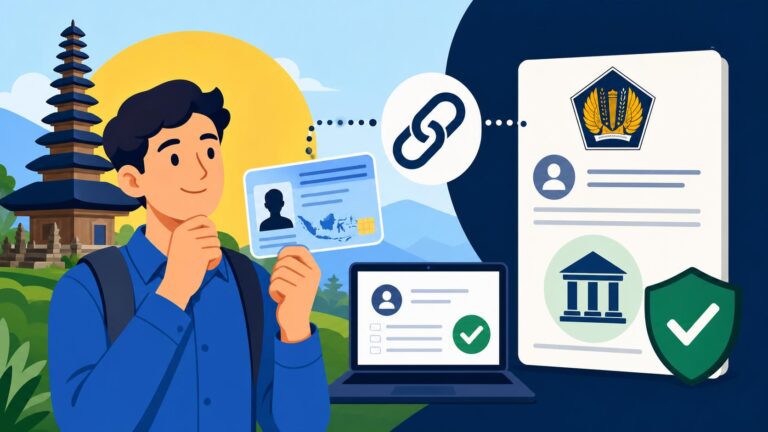
Indonesian e-wallets operate under strict "Know Your Customer" (KYC) regulations set by Bank Indonesia. These rules are designed to prevent money laundering and ensure that every digital rupiah can be traced to a verified identity. For locals, this is a simple matter of scanning their KTP (national ID). For us, the system has to reconcile a foreign passport and, usually, a stay permit like a KITAS or KITAP. The challenge is that the automated optical character recognition (OCR) software used by these apps is often optimized for Indonesian IDs, leading to frequent rejections for foreigners.
When you begin the upgrade process, you aren't just "filling out a form." You are submitting a digital dossier to a compliance team. This is why it is vital to ensure your connection is secure; using a service like NordVPN is highly recommended if you are performing these upgrades over public Wi-Fi in a Bali cafe or a Jakarta mall, as you are transmitting sensitive passport data and biometric selfies. The verification process is the gateway to a more integrated life, allowing you to treat your e-wallet more like a functional bank account and less like a prepaid gift card.
Step by Step Guide to Upgrading GoPay Plus with a Passport
GoPay is arguably the most versatile e-wallet in the country, integrated deeply into the Gojek ecosystem. To upgrade to GoPay Plus, you need to open the Gojek app and navigate to the "Gopay" section, then look for the "Plus" or "Upgrade" banner. For foreigners, the process is slightly different than for locals, and the margin for error is razor-thin. You will need your physical passport—a digital scan or a photocopy will be rejected instantly by the AI-driven verification bot.
The first step is the passport photo. You must place your passport on a flat, well-lit surface. Avoid using a flash, as the glare on the laminated page of a passport is the number one reason for automated rejection. The app will ask you to align the "machine-readable zone" (the two lines of text and arrows at the bottom of your photo page) within a specific frame. If the text isn't perfectly legible, the system won't be able to pull your passport number or date of birth, leading to a "Data Tidak Cocok" (Data Does Not Match) error message.
Mastering the Liveness Check Selfie
Once the passport is scanned, the app will move to the "liveness check" or the "selfie with ID." This is where most expats lose their patience. You are required to hold your passport next to your face while the front-facing camera takes a photo. The trick here is to ensure that your face is not obscured by the passport and that the passport text is still readable in the same frame. I have found that holding the passport just below my chin, tilted slightly to avoid overhead light reflection, works best.
If you are a frequent user of international platforms like Binance for P2P transfers into the Indonesian market, you might be familiar with this biometric dance. However, the GoPay algorithm is notoriously picky. If your hair is significantly longer than in your passport photo, or if you are wearing glasses that weren't in the original document, the AI might flag it for manual review. Manual review can take anywhere from 24 hours to a full week. If you get stuck in "pending" limbo, your best bet is to reach out to GoPay’s Twitter (X) support, which is often more responsive than the in-app help desk.
Verification Success Rates and KITAS Requirements
A common question among the community is whether you need a KITAS to upgrade. While the app often lists "Passport/KITAS" as the required documents, the reality is that a passport alone is usually sufficient for GoPay Plus. However, having your KITAS ready can help if the manual reviewer asks for secondary proof of residence. If you are still waiting on your visa and need to manage funds, understanding Money in Indonesia for Foreign Residents: Banking, Tax, and Financial Setup (2027) can help you decide which e-wallet to prioritize first.
| Feature | Basic User (Unverified) | Premium User (GoPay Plus/OVO Premier) |
|---|---|---|
| Maximum Balance | IDR 2,000,000 | IDR 20,000,000 |
| Monthly Cumulative Limit | IDR 20,000,000 | IDR 40,000,000 |
| P2P Transfers | Restricted | Unlimited |
| Bank Withdrawals | No | Yes (to all Indonesian Banks) |
| GoPayLater Access | No | Eligible for Invite |
Navigating OVO Premier and ShopeePay Upgrades
OVO was the first major player in the e-wallet space, and its "OVO Premier" tier is just as essential as GoPay Plus, especially for those who shop at Grab or use the Tokopedia platform. Unlike GoPay, which is almost entirely digital, OVO used to require physical verification at "OVO Booths" located in Lippo Malls. While they have moved toward a digital-first approach, many foreigners still find that the digital upgrade fails repeatedly. If you are in Jakarta or Surabaya, finding a physical OVO booth can save you hours of digital frustration. The staff at these booths are used to seeing foreign passports and can manually override many of the "glitches" that the app produces.
ShopeePay is the third pillar of the Indonesian e-wallet trifecta. Upgrading to ShopeePay Plus is critical because Shopee often offers massive discounts and "cashback" deals that are only accessible to verified users. The process for ShopeePay is similar to GoPay, but the app is even more sensitive to the "Name Matching" rule. If your name on your Shopee account is "Dave Smith" but your passport says "David Jonathan Smith," the upgrade will be rejected. You must ensure your profile name exactly matches the name in the machine-readable zone of your passport before you even click the upgrade button.
The Problem of Name Discrepancies
This is a recurring issue for expats from countries where middle names are common. Indonesian systems sometimes struggle with more than two names. When you are Opening a Bank Account in Indonesia: Document Checklists (KITAS, NPWP, Passport), the bank officer usually handles this for you, but with e-wallet apps, you are at the mercy of the algorithm. If you have three or four names, try to include them all in your profile settings first.
If the app continues to reject you, it might be time to look at Digital Banking and E-Wallets: How to Register for GoPay, OVO, and Dana for specific workarounds. Sometimes, deleting the app cache or re-installing the application can trigger a different version of the KYC flow that is more friendly to foreign characters. I’ve personally had to rename my profile four times before ShopeePay finally accepted my passport scan.
Why You Need These Upgrades for Daily Life
Once you are upgraded, the "scan to pay" lifestyle truly begins. Indonesia is now dominated by the QRIS (Quick Response Code Indonesian Standard) system. Whether you are at a five-star hotel or a roadside durian stall, you will see the universal QRIS code. While some international apps claim to support this, QRIS Payments Without an Indonesian Bank Account: Is It Possible? remains a complex question with many "no" answers. Having a verified local e-wallet is the only way to ensure 100% compatibility with this system.
Verified accounts also allow you to use your e-wallet to pay for monthly bills. For example, learning How to Pay Utilities via M-Banking Apps (BCA Mobile, Livin' by Mandiri) is easier if you have an e-wallet as a backup for when bank apps go down for maintenance (which happens more often than you'd think). With a GoPay Plus account, you can pay your PLN electricity tokens at 3 AM without leaving your bedroom, a luxury you don't realize you need until your power cuts out in the middle of a monsoon.
Troubleshooting Common Foreigner Verification Errors
If you receive a notification saying "Verifikasi Gagal" (Verification Failed), do not panic. This is standard procedure for many of us. The most common reason is "Foto Buram" (Blurry Photo). This often happens because the app’s camera interface doesn't allow for manual focus. To fix this, try moving to a room with natural, indirect sunlight. If the passport page has a high-gloss finish, the "hologram" security features of your passport might be confusing the AI. Try tilting the passport at a very slight angle—just enough to move the glare away from the text.
Another frequent error is "Identitas Sudah Terdaftar" (Identity Already Registered). This happens if you tried to create an account years ago on a different phone number and forgot about it. In Indonesia, your identity is linked to your passport number in their database. You cannot have two GoPay Plus accounts with the same passport. If this happens, you will need to contact their "Account Recovery" team to de-activate the old number. This can be a long-winded process involving a video call with a support agent where you hold up your passport and state your name and birthdate for the record.
Connectivity and the "App Not Available" Bug
Sometimes, the "Upgrade" button doesn't even appear. This usually happens if your Google Play Store or Apple App Store is still set to your home country. While you can download the apps, certain financial features are geo-locked. Using a high-quality VPN like NordVPN set to an Indonesian server can sometimes bypass these UI glitches, but the real fix is usually changing your store region or creating a secondary "Indonesian" Apple ID/Google account specifically for local apps.
For those who are managing larger sums of money or are looking into long-term wealth management while living in the archipelago, these e-wallets are just the tip of the iceberg. You might eventually find yourself moving beyond simple spending and looking at platforms like Interactive Brokers for international investments, but for the day-to-day "macet" (traffic) life in Jakarta, a verified GoPay Plus account is your most valuable asset.
Practical Tips for Maintaining Your Premium Status
Once you have successfully upgraded, the work isn't entirely over. Your verification is tied to the expiration date of your passport. If you renew your passport, you must update your data in the app, or your account will eventually be downgraded back to Basic status. I always recommend keeping a digital folder of your current passport, KITAS, and a high-quality selfie specifically for these app updates.
Also, be aware of the "Monthly Limit" even on premium accounts. While your balance can go up to 20 million IDR, there is often a "cumulative incoming" limit of 40 million IDR per month. If you are using your e-wallet to pay for high-end rent in Bali or as a bridge for Everyday Budgeting in Indonesia: Cost of Living in Jakarta vs Bali vs Regional, you might hit this limit faster than you think. In these cases, having multiple verified e-wallets (GoPay Plus, OVO Premier, and Dana Premium) allows you to spread your spending across different platforms to avoid being locked out of your own money.
Security and Fraud Prevention
The "Premium" status makes your account a bigger target for scammers. You will likely receive "official-looking" WhatsApp messages or calls from people claiming to be from Gojek or OVO, asking for your OTP (One-Time Password) to "verify your premium status." Never give your OTP to anyone. No legitimate support agent will ever ask for it. Because you have linked your passport to this account, a compromise isn't just a loss of funds—it’s a potential identity theft issue.
If you are a crypto user, you may be tempted to use Binance P2P to top up your newly upgraded e-wallet. This is a common practice, but ensure the name on the P2P sender's bank account matches the name you used for your e-wallet verification. Discrepancies here can sometimes trigger "suspicious activity" flags that could lead to your freshly upgraded account being frozen for investigation. Stay clean, stay verified, and enjoy the convenience of the Indonesian digital economy.
Disclaimer
This guide is for informational purposes only and is based on personal experience and current regulations as of 2026. E-wallet providers frequently update their terms of service, KYC requirements, and app interfaces. Always refer to the official help centers of Gojek, OVO, or Shopee for the most current legal requirements. We are not responsible for any account freezes, lost funds, or rejected applications resulting from the use of this guide.